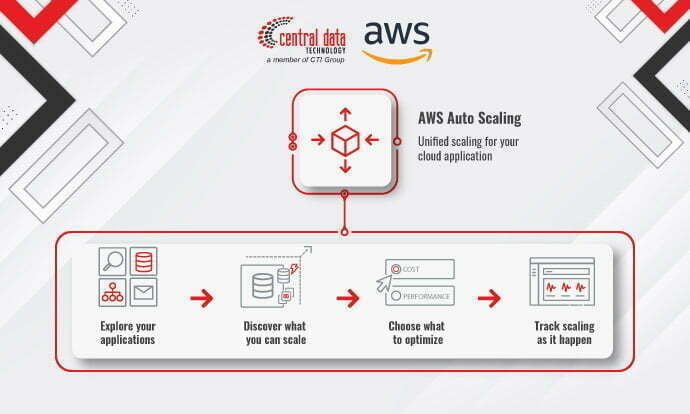
In the digital era, applications have become integral to supporting business operations. These applications have transformed into super apps, where users can perform a multitude of activities with a single touch, from working to shopping and even purchasing tickets.
Given this increasing user reliance on applications, businesses must maintain consistent application performance. As user numbers grow, the need for substantial capacity and resources becomes apparent to sustain performance stability.
To maintain and enhance application performance efficiently, consider implementing the Auto Scaling solution. Auto Scaling improves application performance by adding resources when traffic surges and reducing resources when traffic drops. But what exactly is Auto Scaling? For a comprehensive understanding, read on in this article.
What is Auto Scaling?
Auto Scaling is an automation technique for managing resources within cloud infrastructure. Its primary aim is to ensure that the resources necessary for an application or service are consistently available in sufficient, yet not excessive, quantities. This approach reduces costs, enhances service availability, and minimizes downtime.
Auto Scaling is typically deployed for applications or services that experience fluctuating traffic patterns, such as applications witnessing spikes in visitors during major holidays or peak working hours. With Auto Scaling, resources can be dynamically added to accommodate increases and scaled down when traffic decreases.
Auto Scaling can be applied to various resource types, including instances (virtual machines), databases, and cache memory. When employing Auto Scaling, you can define metrics that serve as the basis for determining when to add or reduce resources. For instance, you can use CPU load metrics, or the number of connections accepted by an application.
Challenges When Implementing Auto Scaling

Scalability and reliability are two crucial aspects of running an application. Scalability ensures that applications can swiftly handle increased traffic without disruptions, while reliability guarantees that applications remain continuously accessible to users.
However, ensuring application scalability and reliability often poses significant challenges for companies. Application traffic can change suddenly and unpredictable changes, impacting performance and reliability. Additionally, manual Auto Scaling can be time-consuming, inefficient, and costly.
To address these challenges, consider transitioning to Amazon EC2 Auto Scaling from AWS to maintain application reliability and scalability. This solution automates instance capacity management based on application demand, ensuring that your business applications remain available, scalable, and efficient.
Amazon EC2 Auto Scaling Solution from AWS
Amazon EC2 Auto Scaling is an Amazon Web Services (AWS) offering that automates the configuration and management of EC2 resources. This automation reduces the time spent adjusting capacity, allowing companies to focus on developing more critical applications.
Amazon EC2 Auto Scaling works by orchestrating EC2 instances with identical configurations into a group. When application requests surge, it automatically adds EC2 instances to the group to handle the increased load. Conversely, when demand wanes, Amazon EC2 Auto Scaling reduces the number of EC2 instances in use. This approach enables you to adapt to fluctuating traffic, maintain service availability, and optimize resource utilization.
Moreover, Amazon EC2 Auto Scaling seamlessly integrates with other AWS services, such as Elastic Load Balancing (ELB) and Amazon CloudWatch to further enhance application or service availability and scalability. Additionally, you can configure this solution through the AWS Management Console or via API, ensuring ease of use and customization tailored to your specific needs.
7 Features and Benefits of Amazon EC2 Auto Scaling
As previously explained, Amazon EC2 Auto Scaling offers features to manage and automate the adjustment of EC2 instance capacity with ease. In addition to that, there are several other features and benefits of Amazon EC2 Auto Scaling:
1. Dynamic Scaling
Automatically add or reduce instance capacity dynamically based on application or service demand.
2. Auto Scaling Groups
A collection of instances configured and managed by the user, which automatically adds or subtracts instances according to application or service demand.
3. Integration with Various AWS Solutions
Can be integrated with other AWS services, such as Elastic Load Balancing (ELB) and Amazon CloudWatch, to enhance the availability and scalability of applications or services.
4. Monitoring Instances
It automatically monitors instance health and can replace problematic instances with new ones if necessary.
5. Cost Effectiveness
Optimize costs by adjusting instance capacity based on application or service demand. By reducing the number of unused instances, users can save on operational costs.
6. User-Friendly
Easy to use and configure via the AWS Management Console or via API. You can choose from several metrics for the automatic Auto Scaling process, such as CPU load or the number of connections.
7. Enhanced Service Availability
Ensuring that an application or service is always available with sufficient, but not excessive, resources. This can help increase service availability and reduce downtime. From the explanation above, you now know that Amazon EC2 Auto Scaling offers various features that can help you enhance the availability and scalability of applications or services, optimize costs, and simplify cloud infrastructure management.
Examples of Using Amazon EC2 Auto Scaling in Business Applications

So, for those of you who are interested in using the Amazon EC2 Auto Scaling solution but still have doubts about its benefits for your business applications, CDT explains in more detail several examples of using Amazon EC2 Auto Scaling in business applications:
E-commerce Applications on Mobile or Website
Increase instance capacity in anticipation of a larger number of users during annual online shopping promotional events (11.11/12.12) and reduce instance capacity after the event concludes.
Applications Running on Kubernetes or Docker
Use it to manage Kubernetes or Docker clusters, automatically adjusting the number of instances based on application workload.
Large Data Batch Applications
Add instances while processing a batch of data and reduce the number of instances after processing is complete.
Applications Used in Various Locations
Enable adjustments to instance capacity in each branch office separately, optimizing performance and reducing costs.
This will make you even more confident that the Amazon EC2 Auto Scaling solution can effectively help your company optimize application performance, increase reliability, and reduce costs by automatically adjusting the number of instances according to application traffic.
Read More: MAP Program, a Migration Program that is Not Just Migration but Also Helps Adaptation
Get CDT’s Amazon EC2 Auto Scaling Solution Now!
It’s time to improve application or service performance, increase scalability, and save operational costs with the Amazon EC2 Auto Scaling solution. Central Data Technology (CDT), as an AWS authorized partner, will help you adopt Amazon EC2 Auto Scaling safely, reliably, and of course, cost-effectively.
CDT, supported by a professional, experienced, and certified IT team, will guide you from the consultation process to after-sales support to ensure you avoid trial and error. Learn more about Amazon EC2 Auto Scaling by contacting us via the following link.
Author: Ary Adianto
Content Writers CTI Group