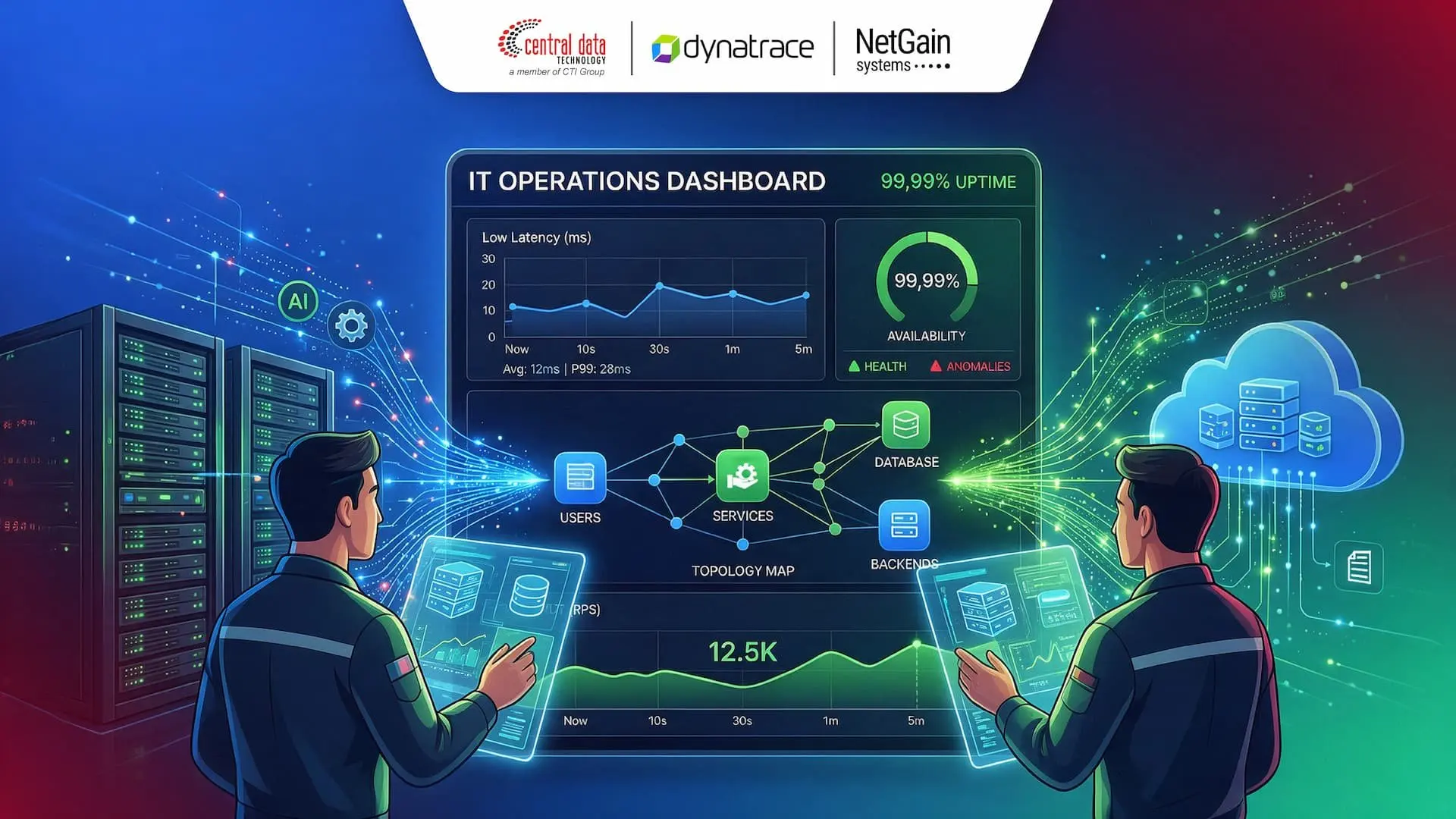
As IT infrastructure becomes increasingly distributed across multiple environments, maintaining system performance is no longer as simple as knowing whether a server is up or down. Businesses need broader visibility to understand the condition of their infrastructure, applications, networks, and relationships between the components within them.
This is where enterprise monitoring tools come into play. With the right monitoring solution, IT teams can detect anomalies earlier, understand root causes, and act before disruptions escalate into downtime that affects business operations.
As IT Infrastructure Becomes More Distributed, Visibility Becomes a Challenge
Enterprise IT environments can now span on-premises infrastructure, cloud, hybrid environments, virtual machines, containers, networks, applications, and various other devices. This level of complexity makes monitoring through multiple standalone tools increasingly difficult to manage.
Without centralized visibility, information about network, server, application, and device performance can become scattered across different dashboards. As a result, IT teams spend more time correlating data from each tool before they can identify the source of an issue. This condition is known as monitoring silos, which can extend incident resolution times or MTTR.
Monitoring Silos and Their Challenges for IT Operations
Imagine an application suddenly experiencing performance degradation. The application team may investigate the issue from the application side, while the network team checks the network and the infrastructure team examines the server. When each team relies on different tools without a connected context, identifying the root cause can take significantly longer.
That is why enterprise monitoring tools need to provide a broader context. Monitoring is not simply about knowing what is wrong; it should also help teams understand where the problem started and which components are affected.
Downtime Is More Than Just a Technical Issue
Infrastructure disruptions can directly affect digital services and Service Level Agreement (SLA) performance. The longer an outage lasts, the greater its potential impact on transactions, productivity, customer experience, and business operations. The ability to detect issues before they develop into downtime is therefore an important consideration when choosing a monitoring solution.
Check These 3 Things Before Choosing Monitoring Tools
Choosing enterprise monitoring tools should not be based solely on the number of features they offer. Businesses need to consider whether a solution can provide visibility that matches the complexity of their infrastructure, how telemetry data is collected and correlated, and how flexibly the solution can be deployed across different environments.
Here are three things to check before choosing monitoring tools.
1. Real-Time Infrastructure & Network Performance Monitoring
Real-time infrastructure monitoring is essential for helping IT teams continuously understand the condition of their devices and environments. Parameters such as packet loss, bandwidth utilization, hardware health, and virtual machine performance can serve as important indicators for identifying potential issues.
2. Centralized Logs, Flexible Dashboards, and Scalability
Modern monitoring solutions should also be able to process data from multiple sources without forcing IT teams to switch between different dashboards. Integrated logs, metrics, and traces can provide more complete context when an anomaly occurs.
At the same time, customizable dashboards help present information based on the needs of different users. Sysadmins, for example, may require different levels of technical detail from C-level executives, who are more likely to need a high-level view of overall service health.
3. Deployment Flexibility for Hybrid Infrastructure
Not every business has the same deployment requirements. Some organizations still need control through on-premises environments, while others are adopting SaaS and cloud infrastructure. Deployment flexibility allows monitoring strategies to be tailored to the organization's architecture and operational needs.
Close Observability Gaps with NetGain Systems and Dynatrace
NetGain Systems and Dynatrace complement each other in building enterprise observability. NetGain Systems stands out with centralized infrastructure visibility, infrastructure monitoring, network analytics, and deployment flexibility. Meanwhile, Dynatrace delivers a full-stack approach that connects application performance with infrastructure, cloud environments, logs, metrics, and traces.
Dynatrace for AI-Powered Full-Stack Observability
Dynatrace also supports hosts, VMs, containers, networks, and application performance monitoring through distributed tracing and application dependencies. One of its key capabilities is AI-powered analysis to help detect anomalies and perform root-cause analysis. Automatic topology mapping also helps map applications, services, infrastructure, and dependencies, giving teams greater context when troubleshooting.
NetGain Systems for Flexible Infrastructure Monitoring
NetGain Systems focuses on centralized visibility across IT services, infrastructure, applications, and devices. In addition to infrastructure monitoring, the platform includes Log Analytics, Security Analytics, Application Performance Monitoring (APM), Network Traffic Analytics (NTA), and Network Configuration Management (NCM).
NetGain also features Astra AI Insights for anomaly detection, forecasting, root-cause analysis, and operational recommendations, as well as BizView, which provides visibility into the relationships and dependencies between enterprise services.
Dynatrace vs. NetGain Systems
Although both solutions support enterprise observability needs, Dynatrace and NetGain Systems have different areas of focus. The following comparison highlights how each solution can support enterprise monitoring requirements.
Monitoring Aspect | Dynatrace Full-Stack Observability | NetGain Systems Observability Suite |
Primary Focus | Application performance, application code, cloud transactions, and containers | Hardware condition, networks, IT devices, system logs, and local servers |
AI-Powered Analytics Approach | Causal AI-based root-cause analysis performed automatically without requiring manual threshold configuration | Astra AI Insights for detecting anomalies, forecasting capacity needs, and providing recommendations |
Deployment Options | SaaS and managed cloud for modern, globally scalable deployments | Flexible support for both on-premises and cloud SaaS deployments |
Key Business Value | Reduces alert fatigue and accelerates application release processes | Improves centralized device visibility while supporting local data compliance requirements |
This comparison shows that both solutions have strengths in different areas. Dynatrace can be a strong choice for organizations that need end-to-end visibility from applications to infrastructure, while NetGain Systems can support more centralized and flexible infrastructure and network monitoring needs.
Don't Wait for Systems to Go Down, Switch to Proactive Monitoring
Effective monitoring should not only respond after an issue occurs. When alerts only appear after system performance has already degraded or a service has experienced downtime, IT teams have less time to prevent a larger impact. Proactive infrastructure monitoring helps shift this approach by identifying potential issues earlier.
One way to achieve this is through dynamic threshold management, which helps reduce irrelevant alerts as system conditions change. With more contextual alerts, IT teams can prioritize anomalies that require attention and respond to potential disruptions more quickly.
In addition, integrating metrics, logs, and traces within a single platform gives IT teams more complete context when investigating an incident. When all this information can be correlated within one system, teams gain a single source of truth for monitoring infrastructure and carrying out more targeted troubleshooting.
Build Smarter Monitoring, From Reactive to Proactive
Effective monitoring is not just about sending alerts when an issue has already occurred. With proactive alerting and dynamic threshold management, businesses can move away from static thresholds toward more adaptive alerts, allowing potential issues to be identified earlier while reducing alert storms.
At the same time, integrating metrics, logs, and traces within a single platform allows IT teams to view system conditions from multiple perspectives without switching between different data sources. Correlating these three types of telemetry provides a richer context for understanding anomalies and tracing their root causes.
With integrated data, IT teams can establish a single source of truth for monitoring and troubleshooting. This approach helps reduce blind spots while enabling faster and more targeted responses to disruptions.
FAQ About Enterprise Monitoring Tools
What is the difference between traditional monitoring and full-stack observability?
Traditional monitoring generally focuses on the condition or status of specific components, such as CPU utilization or whether a system is up and running. Full-stack observability takes a broader approach by connecting telemetry across the application and infrastructure layers to help explain the underlying cause of an issue.
Why do businesses need infrastructure monitoring?
Infrastructure monitoring helps businesses gain visibility into the condition of IT services, infrastructure, applications, and devices across managed environments. With centralized visibility, IT teams can detect potential issues, monitor performance, and troubleshoot with a more complete context.
What are the benefits of enterprise monitoring tools for SLA management?
Enterprise monitoring tools can help provide historical audit trails, service availability reports, and early warnings before technical issues exceed defined SLA thresholds. This allows monitoring to support service reliability while also meeting operational and audit requirements.
Why can NetGain Systems and Dynatrace be used together?
NetGain Systems focuses on infrastructure, networks, IT devices, and monitoring needs across local environments, while Dynatrace provides full-stack visibility across applications, cloud, infrastructure, logs, metrics, and traces. Combining the two can help organizations gain a more comprehensive view of their monitoring environment.
Build More Complete IT Visibility with CDT
As IT infrastructure becomes increasingly complex, businesses need more than basic monitoring to determine whether systems are up and running. Comprehensive visibility helps IT teams understand the condition of their infrastructure, applications, and networks while responding to potential disruptions before they affect business operations.
Through NetGain Systems and Dynatrace, Central Data Technology (CDT), part of CTI Group, helps businesses implement more integrated monitoring and observability to support uptime, performance, and IT infrastructure readiness.
Contact the CDT team to explore monitoring and observability solutions that fit your IT infrastructure needs.
Author: Angela Merici Retna Perwitasari
Content Writer Intern CTI Group